¶ Tools and Materials
-
A 2.0 mm Allen key
-
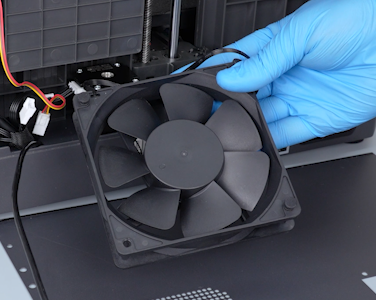
A new case fan
¶ Tutorial Video
https://www.youtube.com/watch?v=82CZXeX_yys&feature=youtu.be
¶ Instruction
¶ Preparation
-
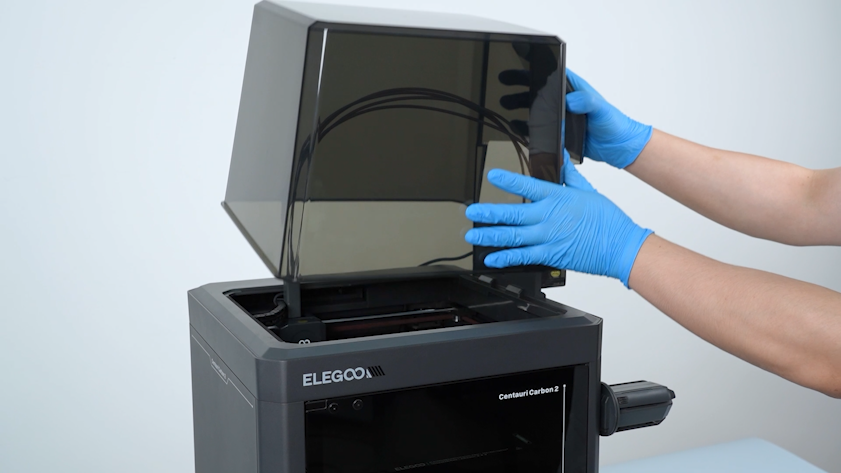
Remove the lid.
-
Plug in the power supply cable. Turn the power switch ON (symbol "|") .
-
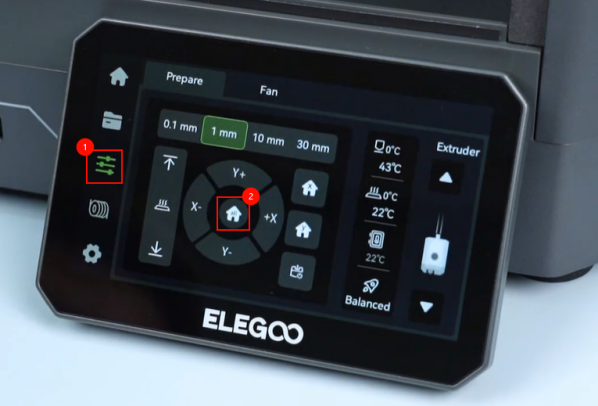
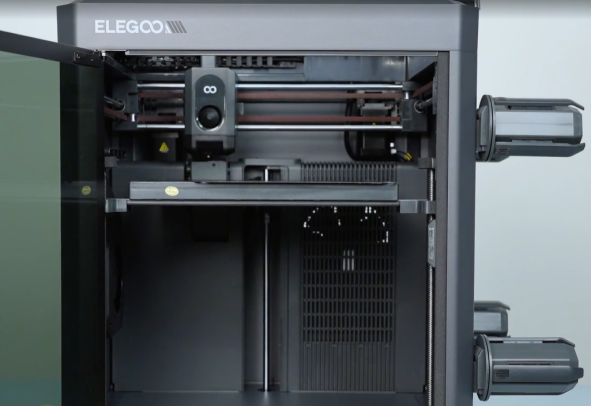
On the touch screen, select Control - Homing. Wait for the XYZ homing process to complete.
-
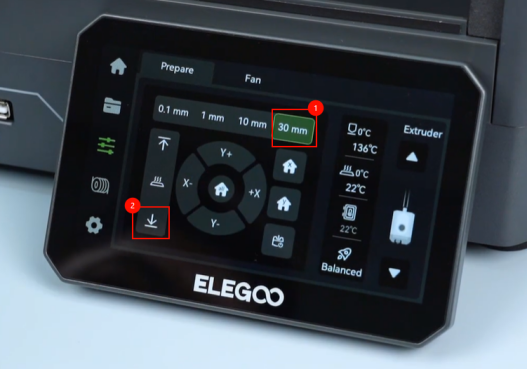
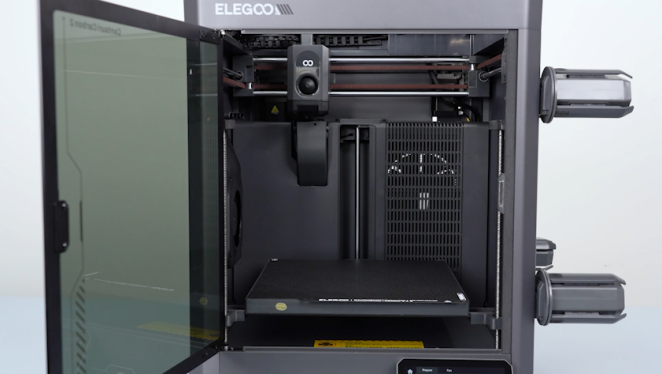
On the touch screen, select 30 mm as the motor movement distance and select ↓(lower) to lower the heated bed to the bottom.
-
Turn the power switch OFF (symbol "〇"). Unplug the power supply cable.
¶ Remove the old case fan
-
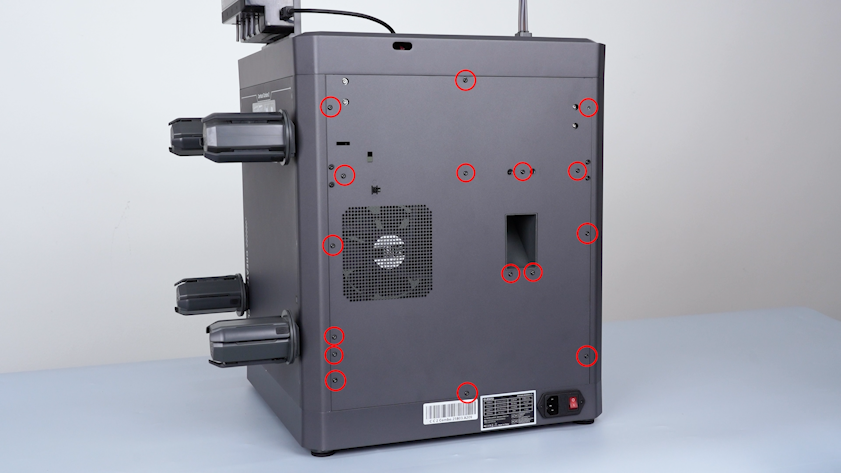
Release and remove the screws securing the back cover with a 2.0 mm Allen key.
-
Carefully open the back cover. Remove the extension cable of the CANVAS from the gap besides the case fan.
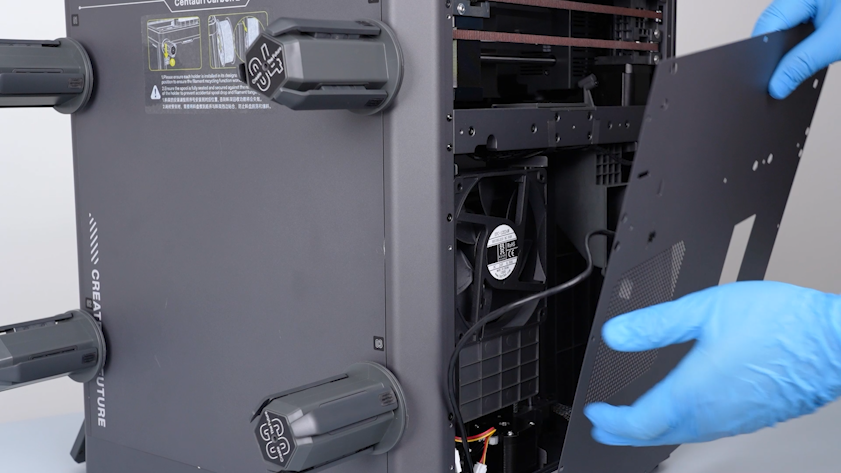
-
Lay the back cover flat on the table.
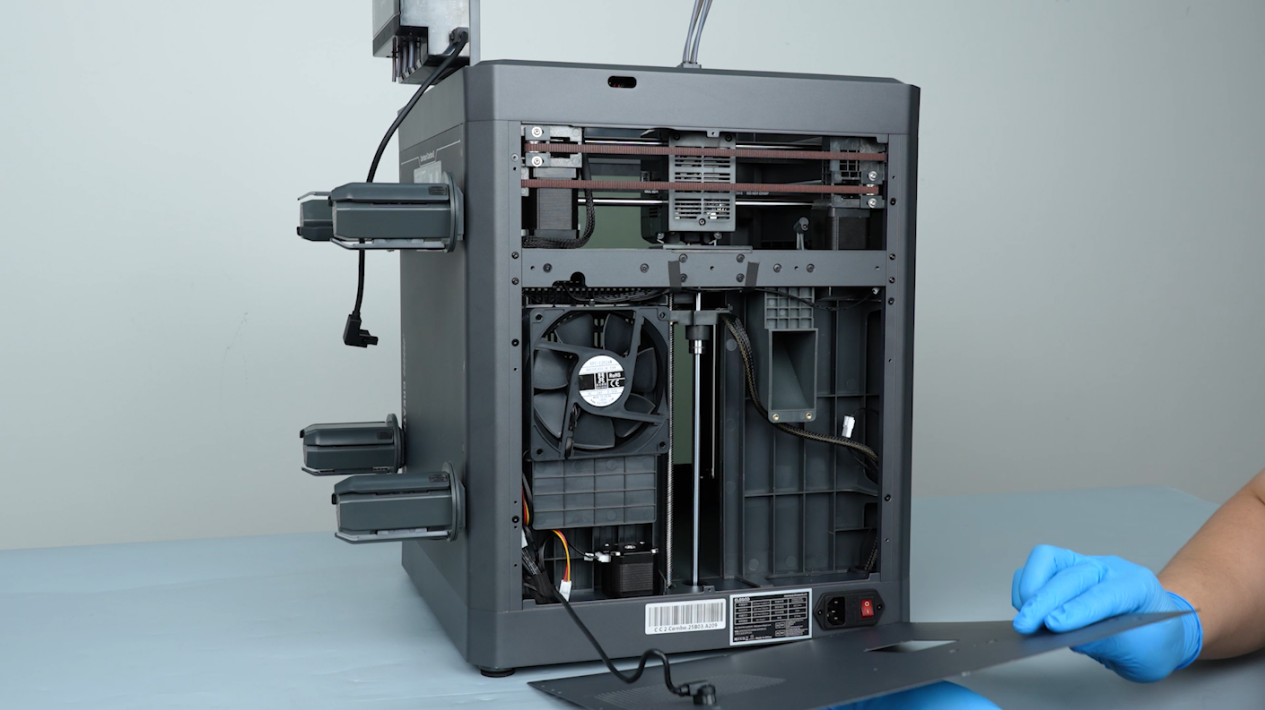
-
Remove the cover of the case fan.
-
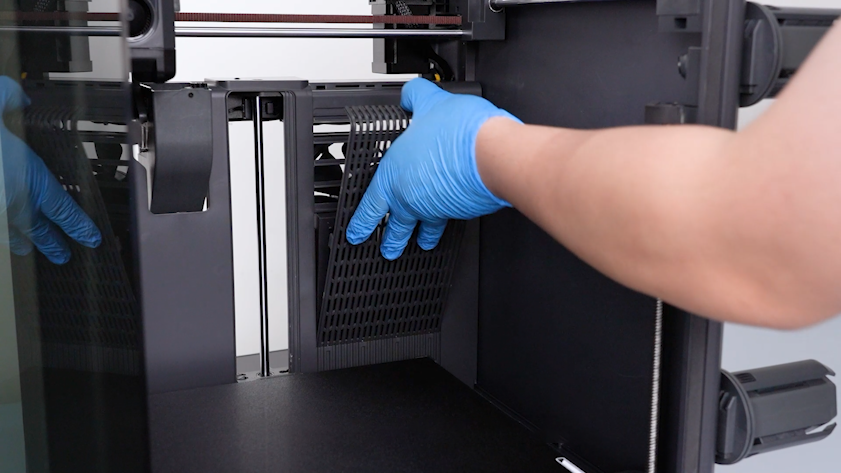
Remove the filter.
-
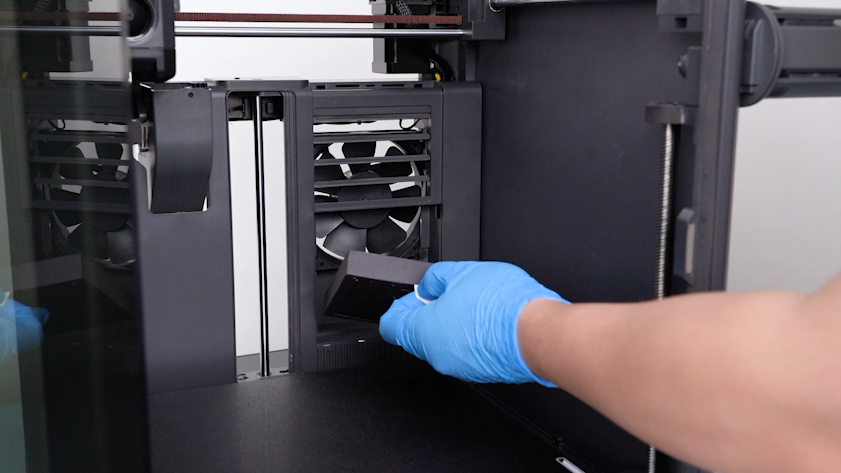
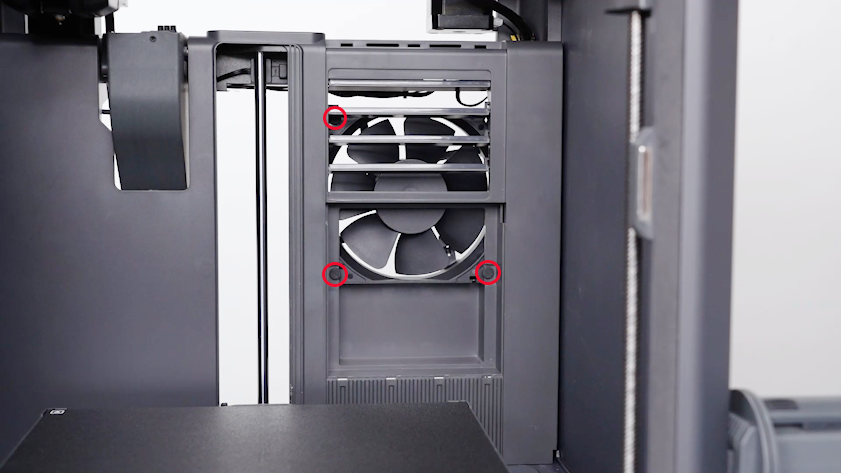
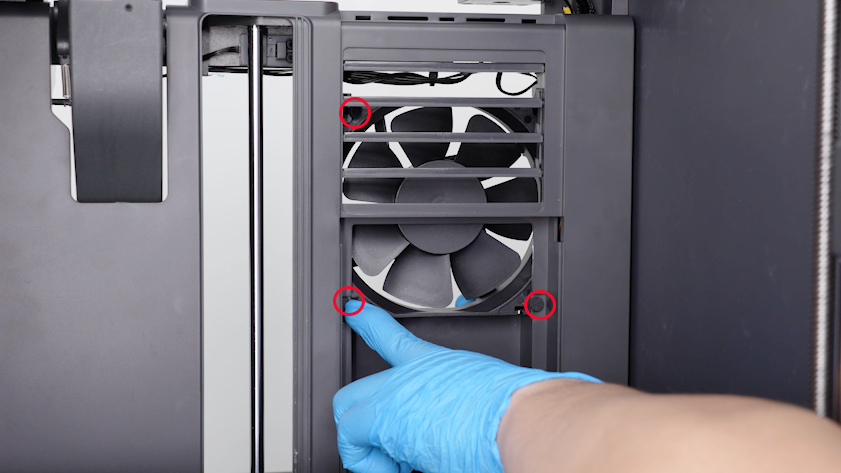
Loosen the three case fan mounting snaps.
Note: Hold the case fan when loosening the last mounting snap.
-
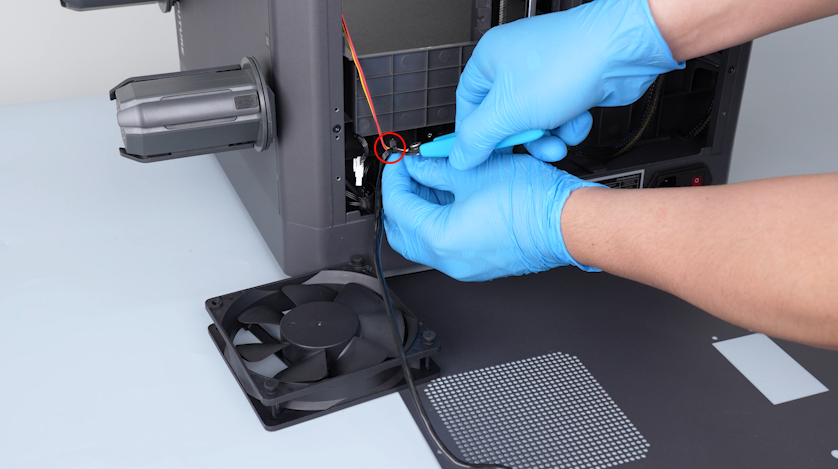
Cut off the cable ties with a pair of pliers.
-
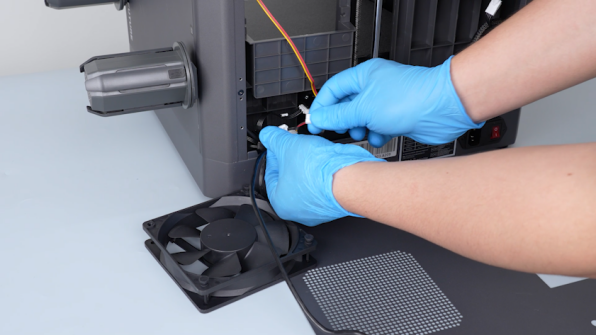
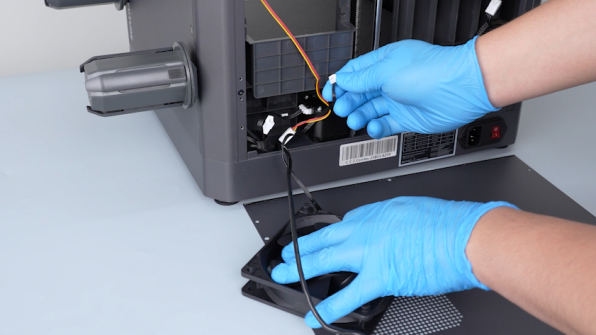
Unplug the case fan cable. Remove the old case fan.
¶ Install the new case fan
-
Get the new case fan. Plug in the case fan cable.
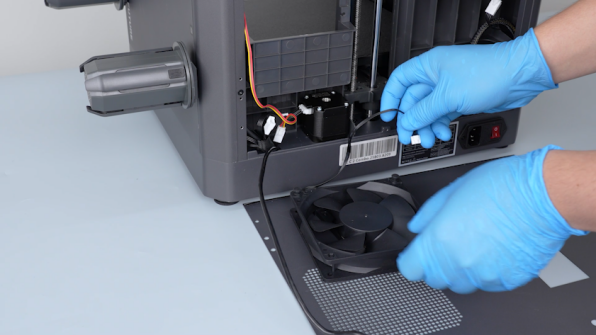
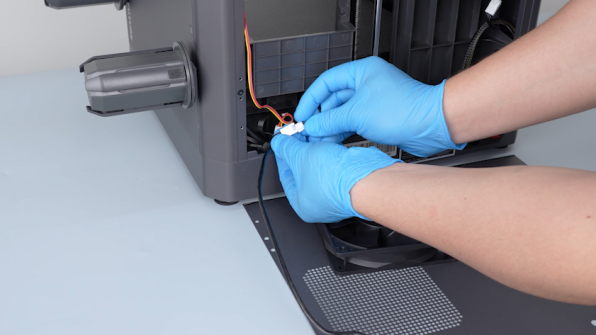
-
Secure the case fan cable and the servomotor cable with a cable tie. Cut off the excess part of the cable ties and remove it.
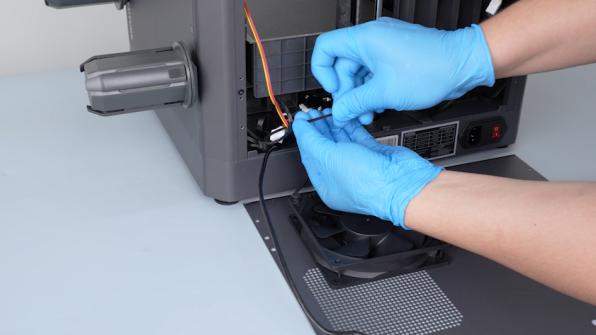
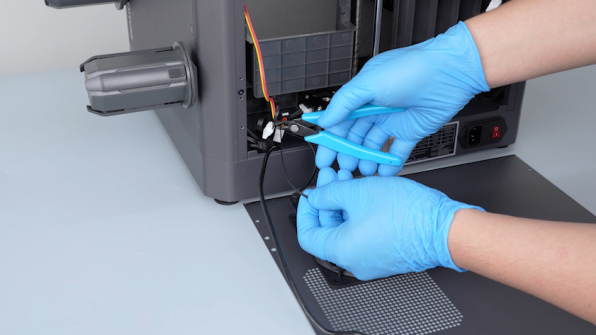
-
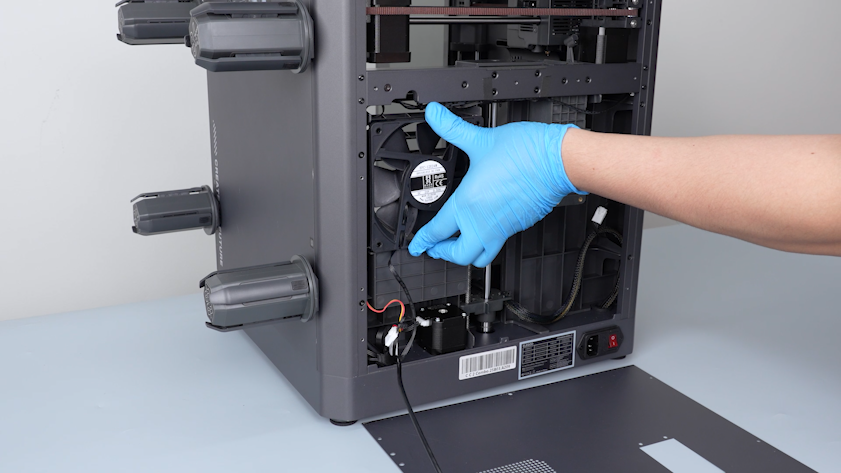
Put the case fan in the installation position.
-
Hold the case fan and restore the mounting snaps.
-
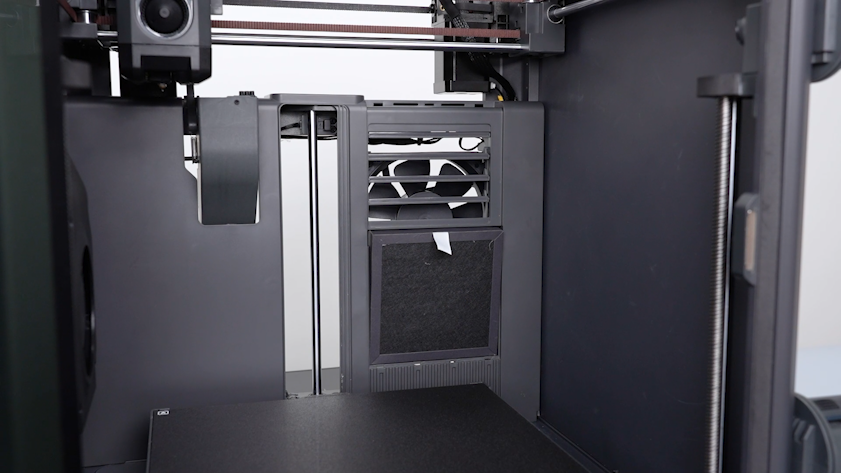
Put the filter in the installation position.
-
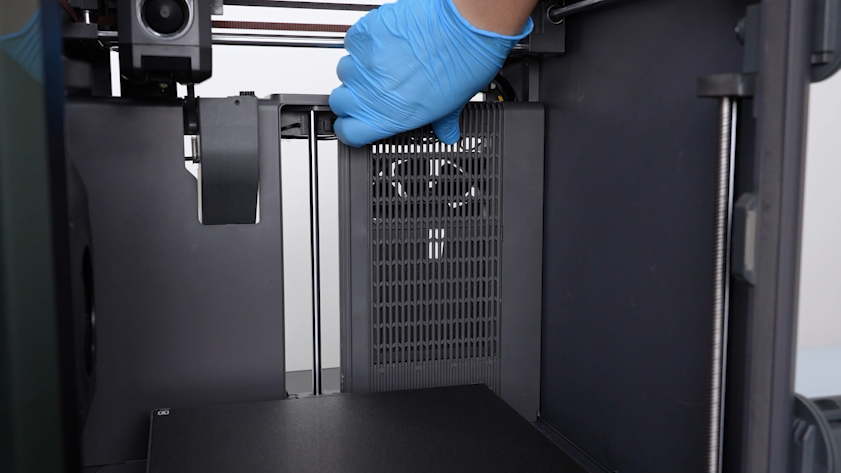
Install the cover of the case fan.
-
Lift the back cover. Put the extension cable of the CANVAS into the gap besides the case fan.
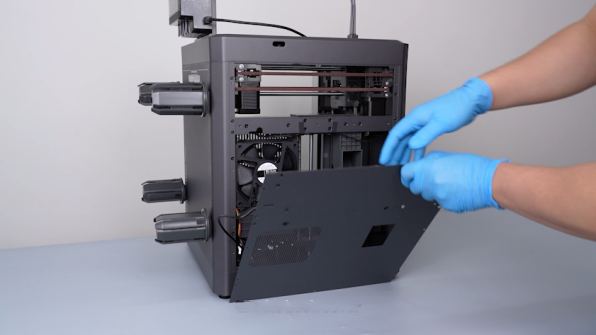
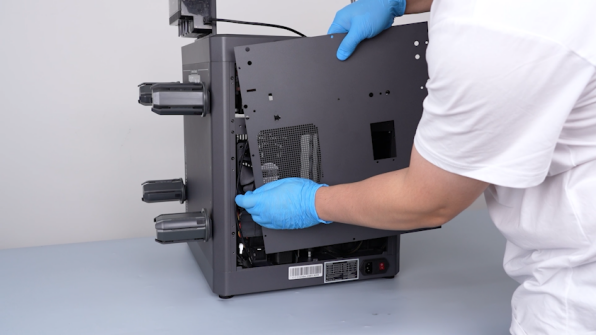
-
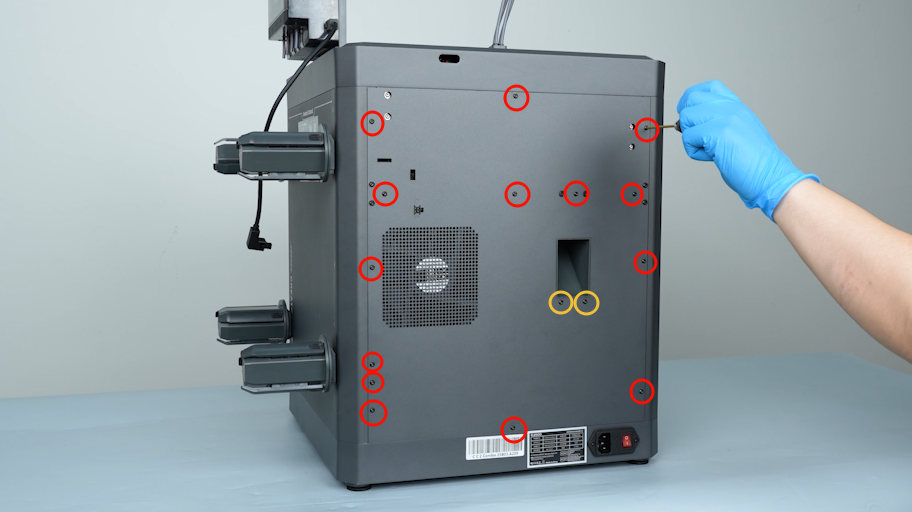
Tighten the sixteen screws securing the back cover with a 2.0 mm Allen key.
Note: Screws labeled by the red circle are M3 x 4. Screws labeled by the yellow circle are M3 x 8.
-
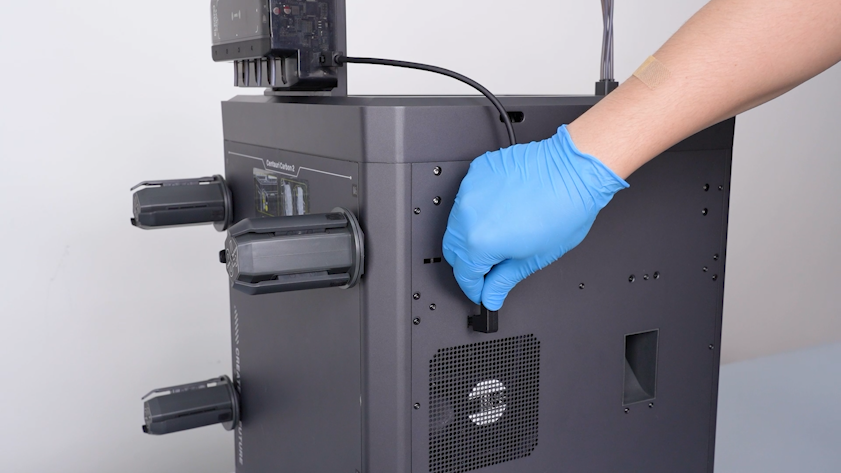
Plug in th communication cable of the CANVAS.
¶ Verification
-
Plug in the power supply cable. Turn the power switch ON (symbol "|").
-
On the touch screen, select Fan - Case Fan. Turn the case fan on.
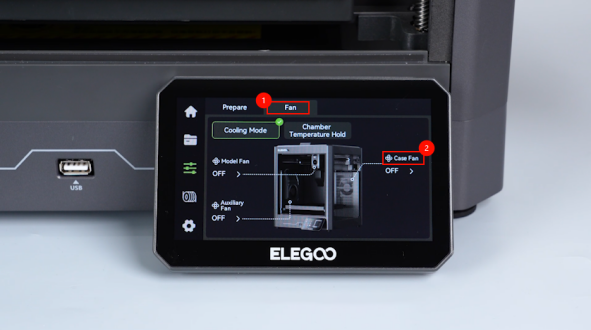
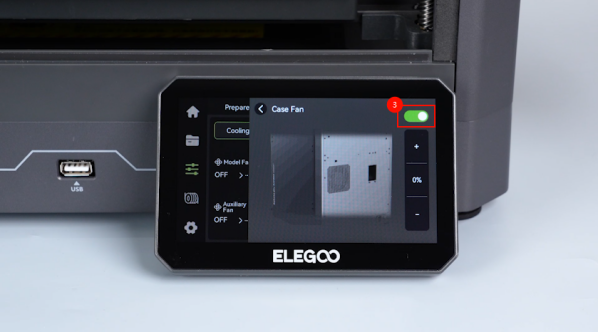
-
Confirm that the case fan can work normally. Turn the case fan off.
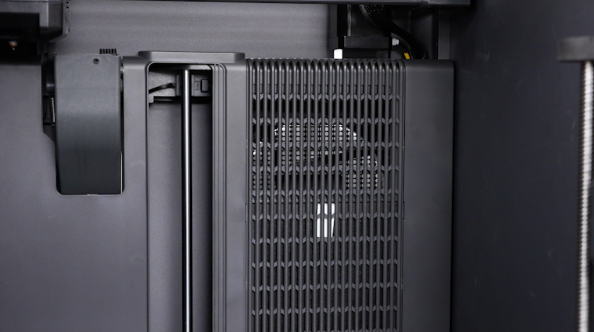
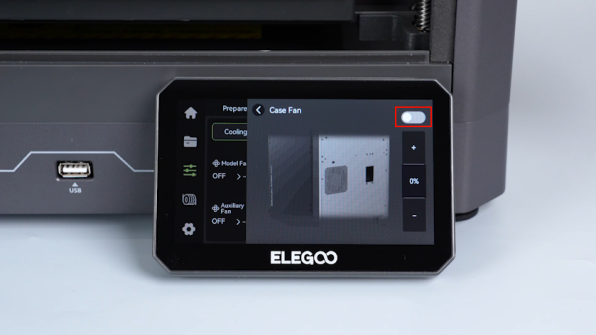
-
The printer is ready for use.